
Installation
- Get StintLogic from Microsoft Store.
- Open the official StintLogic listing in Microsoft Store.
- Install only the certified package offered by the Store.
- Open StintLogic whenever you want. It connects when iRacing is available.
Support
Resolve installation, Team Strategy, Race Plan, overlay, speech and recording issues, or prepare a reproducible report with the necessary context.
Read frequently asked questionsStintLogic is distributed as a certified, signed package from its official Microsoft Store listing, with installation and updates managed by Windows.
Describe the expected behavior and observed result in your comments. If it adds context, you can also voluntarily attach a recording exported by StintLogic.
User guide · English
Read about activation per event, Team Strategy roles, room recovery, overlays, speech, export and feedback. Implemented features and pending validation are clearly distinguished.
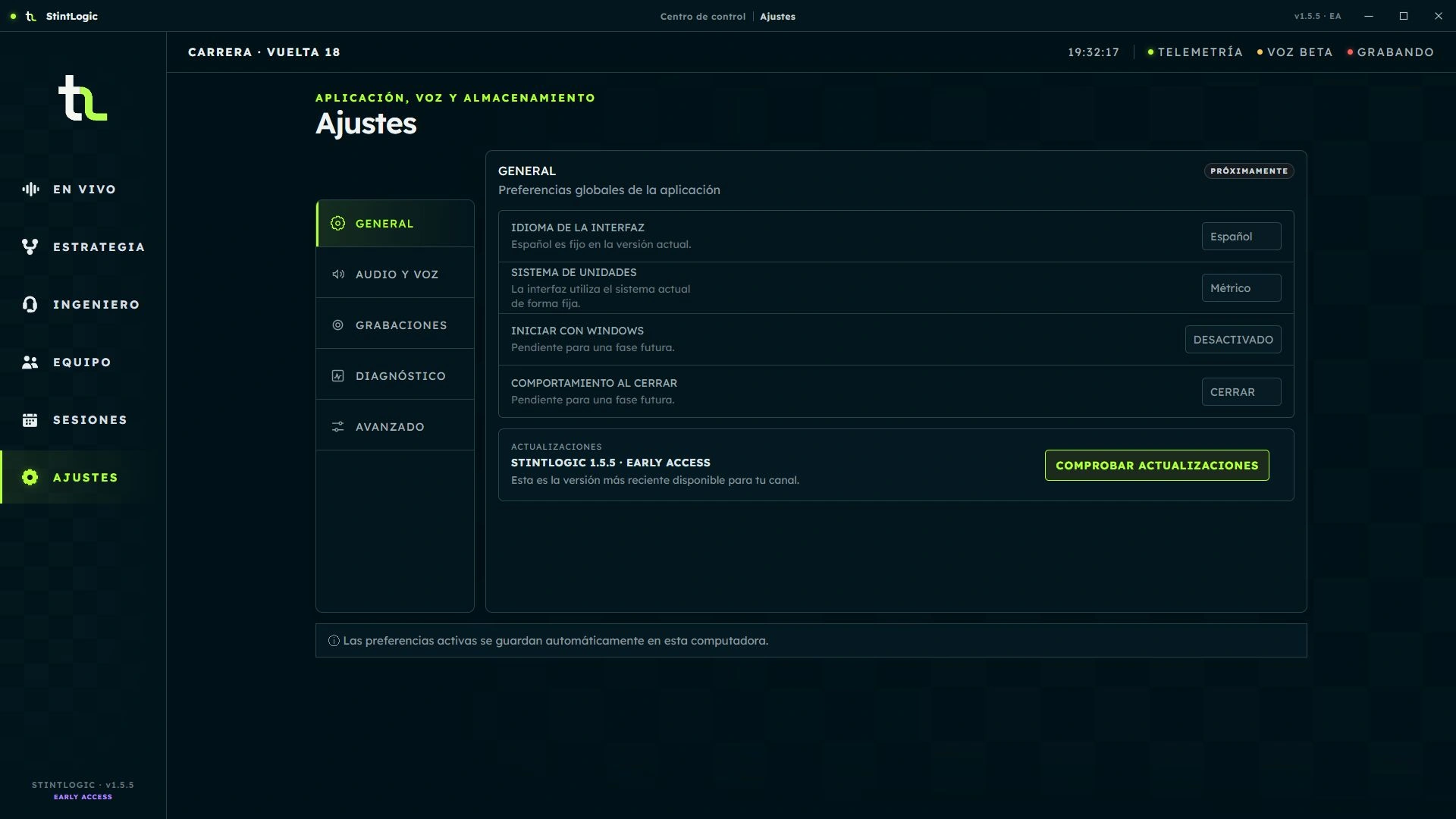
Download English PDF guideThe update screenshot demonstrates the interface; it is not a real Microsoft Store check.
Frequently asked questions
Open Team in Desktop. Create a room or enter an invitation code shared by its coordinator. Each code admits a single installation and expires after 10 minutes. You do not need a Platform account. Use the same Desktop version on every computer.
Only the coordinator has authority to modify the shared plan. Other members can view it. Active driver and telemetry source are roles separate from coordination.
Editing authority moves to a connected, authorized member. The active plan is preserved; the active driver and telemetry source do not change. This does not mean taking the wheel.
Trusted teammate and automatic handover are local preferences on each PC. Can take coordination and Observer only govern member authority. An observer neither drives nor coordinates; review permissions before transferring.
Desktop invalidates unusable room credentials and allows a new valid join. Ask the coordinator for a new code and rejoin. Do not share tokens or codes in feedback. If the coordinator is absent, only a previously authorized member can take coordination.
In Engineer, enable the subtitle overlay and open its settings. Adjust position, size and opacity, and use the preview. It shows the engineer's message during audio playback; it does not transcribe your microphone. It is separate from the strategy overlay. The subtitle overlay and its synchronization with speech are validated on track.
Since 1.5.5, Live, history, strategy and subtitles display quantities as digits. The value does not change, and speech retains its natural wording and the same priorities.
Enable it from Engineer to approximate arrival with 5 → 1 → Box. It needs a valid reference and stays silent if evidence is missing or conditions are unsafe. It is not braking guidance. The countdown and its silence when data is insufficient are validated on track.
Select Feedback in Live. If you do not have a web session, request a private email link and open it in the same browser. No application or approval is needed to send reports.
From Sessions, select the recording and export it for feedback. Attach only the .stintlogic-recording package, voluntarily and with consent. The form does not accept logs or relay diagnostic files.
Desktop checks Platform's catalog and tells you when a version is available. Microsoft Store delivers, installs and updates the package. Check Settings and the release notes; Platform does not replace the Store installer.
Windows x64, iRacing and an authorized Early Access version. Core features run locally.
Not for local telemetry, individual strategy, speech and recordings. Team Strategy does require it: Desktop connects directly to relay.stintlogic.com over HTTPS/WSS, without an account or any prior interaction with Platform.
Because range, windows, scenarios and rejoin still require calibration and full on-track validation. Estimates show their limitations.
You can choose Manual or Automatic activation once per server event. The plan maintains continuity across practice, qualifying and the race in the same event. Opening the app alone does not activate it. Manual requires your action; Automatic applies the saved policy and can wait for race evidence.
Open it from Command Center and adjust it in Edit mode. You can move it, resize it, change background transparency and choose the visible strategy modules; settings are saved locally.
Lock fixes the position and size. Race also enables click-through so clicks pass through the overlay to iRacing. The mode returns to Edit each time it opens.
No. Balanced, Direct and Motivating receive the same decision, priority and telemetry. They only modify non-critical wording; safety, flags, incidents and damage remain unchanged.
Not automatically. Recordings stay local by default and are only shared if you export them and voluntarily attach them to feedback.
You can send comments and, optionally, a recording exported by StintLogic. The form does not accept logs.
Currently, public compatibility is with iRacing. Other simulators remain on the roadmap.
Structured contact
Participants can send comments and optionally attach a recording with explicit consent for its review.
Send feedback